How to pay with USDT
Payment happens inside the app. Your plan activates automatically once funds arrive — usually within minutes.
- 01Open the app and register with your email
You'll enter your email twice to avoid typos.
- 02Choose a plan, billing period and network
We recommend Arbitrum One for low fees and fast confirmation.
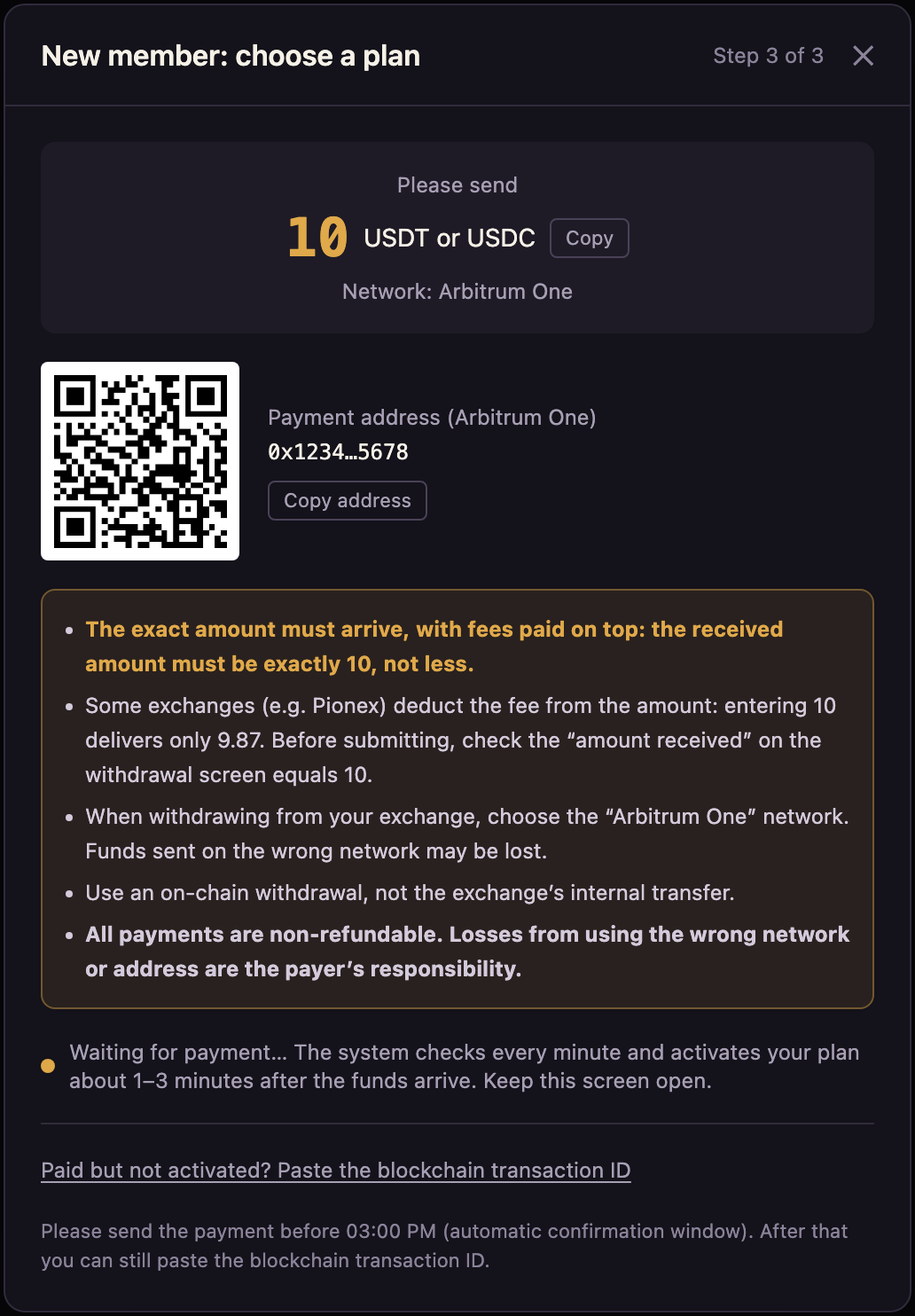
- 03The app shows the deposit address, QR code and amount due
Each order is valid for 60 minutes.
- 04Send from your exchange or wallet using an on-chain withdrawal
Do not use an internal transfer between exchanges.
- 05Payments are checked every minute and activate automatically
Once activated, the app logs you in automatically.
Supported networks
| Network | Coin | Note |
|---|---|---|
| Arbitrum One | USDT, USDC | Recommended: low fees, fast |
| TRON (TRC-20) | USDT |
4 things to check before you pay
1. The amount received must exactly match the amount due.You pay the network fee — check the "amount received" figure.
2. Some exchanges (such as Pionex) deduct the fee from the amount you withdraw.For example, entering 10 may deliver only 9.87, which won't match. Add the fee so the amount received is exactly the amount due.
3. Always use an on-chain withdrawal,not an internal transfer between exchanges.
4. Double-check the network and address.Funds sent to the wrong network or address cannot be recovered, and the operator is not responsible.
What if the payment doesn't match?
If the amount is off or your plan isn't activated automatically, paste the blockchain transaction ID (TxID) on the order page in the app. You can find it in your exchange's withdrawal history. If that doesn't work, email support with your TxID and we'll reply within 1–3 business days.
By completing payment, you confirm that you have read and agree to the Terms of Service, Risk Disclosure and Privacy Policy.